I’ve been a fan of R Markdown (and Shiny) for nearly 3 years, and have written about it here on my blog many times. R Markdown is my go-to for analysis and reports that need anything more than a simple table.
Running R Markdown via Docker is a big help with deploying those analysis and reports for others to use.
While there are alternatives for deploying R Markdown — the most popular being Shiny Server — they add the hassle of matching R and package versions to the machine where the code was developed, may require IT help, and mean sharing disk, CPU, and memory with other apps on the same server. And there’s also licensing requirements & limitations for the free version of Shiny Server.
R Markdown on Docker avoids some of these issues; a single Docker container = a single app.
In this post I’ll go over running an R Markdown page in Docker called debug.Rmd that lists the R version, as well as installed packages & versions.
In a new directory, for example “r-markdown-docker-test”, create debug.Rmd as per below:
---
title: "debug.Rmd"
output: html_document
runtime: shiny
---

``` {r global, echo = FALSE, message = FALSE, warning = FALSE}
# load packages
# sessioninfo: R Session Information
# https://github.com/r-lib/sessioninfo
library(sessioninfo)
# details: R Package to Create Details HTML Tag for Markdown and Package Documentation
# https://github.com/yonicd/details
library(details)
# dplyr for piping with "%>%"
library(dplyr)
```

```{r, echo = FALSE, comment = NA}
# initially expanded environment and package versions from sessionInfo()
# requires "sessioninfo" and "details" packages
# adapted from https://cran.r-project.org/web/packages/details/vignettes/sessioninfo.html
sessioninfo::session_info() %>%
  details::details(open = TRUE)
```
You can find the complete code on GitHub at https://github.com/thomasswilliams/r-markdown-docker-test.
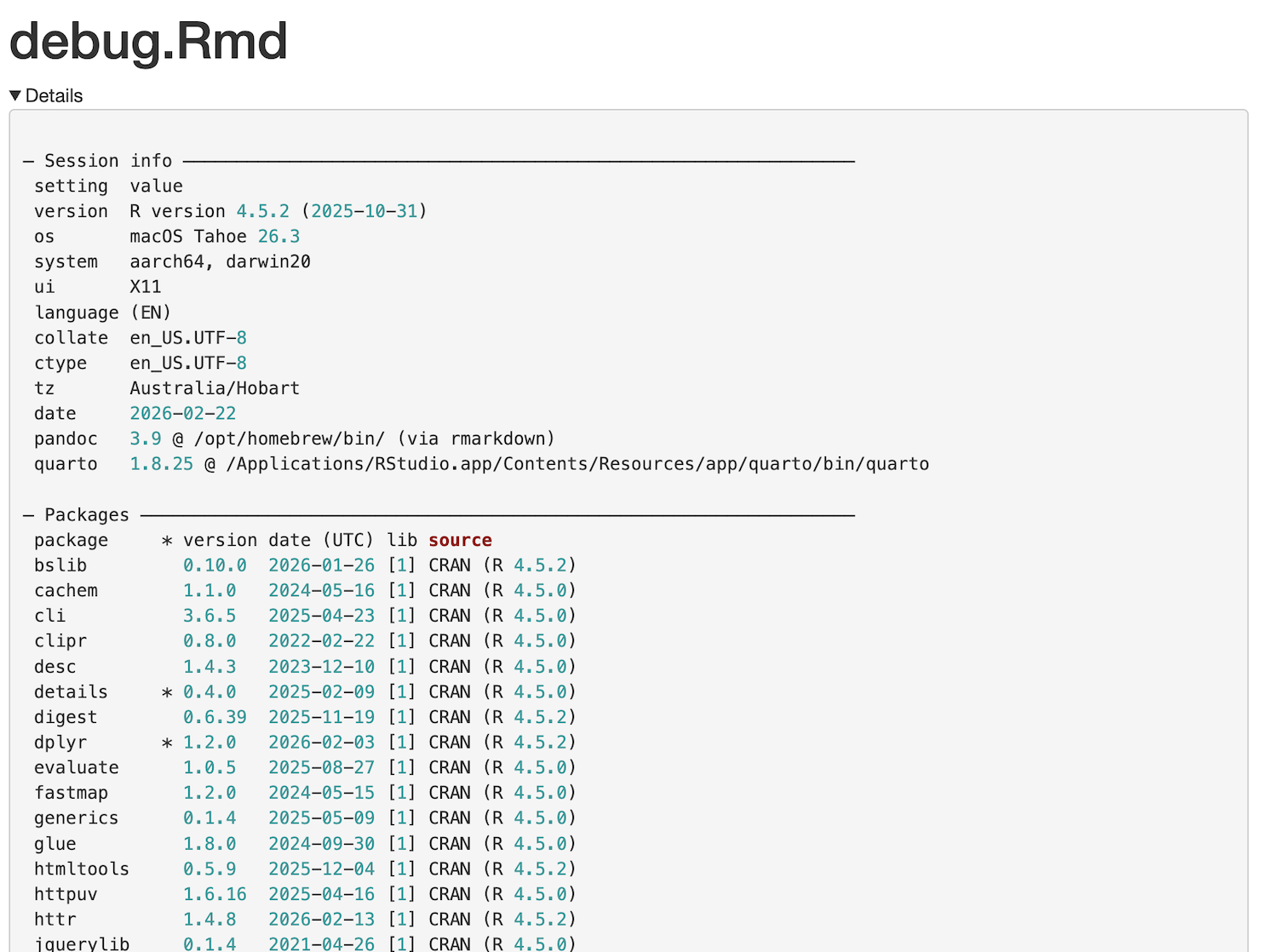
Running debug.Rmd from RStudio (after installing required packages) results in something like (on an M1 Mac as at Feb 2026):
Bringing in Docker
Now let’s Dockerize the R Markdown file (or any number of files in a folder), which requires Docker, naturally.
The Dockerfile below:
- pulls the base Rocker Shiny Docker image (I experimented with a base R image and installing Shiny - it’s a lot of work, simpler to use
rocker/shiny) - installs required packages (add whatever packages needed for R Markdown files e.g.
DT,highcharter,bslibetc.) - copies R Markdown files from the current directory to the Shiny Server base directory in the container
- since only R Markdown files are copied, I didn’t bother with a
.dockerignorefile; suggest adding for R Markdown projects which include separate javascript & CSS files, images etc.
- since only R Markdown files are copied, I didn’t bother with a
- switches to the “shiny” non-root user
- runs Shiny
# base R Shiny image, latest
FROM rocker/shiny

# install required R packages (Shiny already present)
RUN R -e "install.packages(c('dplyr', 'rmarkdown', 'sessioninfo', 'details'))"

# remove sample files from Shiny Server base directory
RUN rm -rf /srv/shiny-server/

# copy R Markdown files from this repo into Shiny Server base directory
COPY *.Rmd /srv/shiny-server/

# make use of in-built "shiny" user in image to run as non-root
# set permissions on copied files, so "shiny" user can read
RUN chown -R shiny:shiny /srv/shiny-server

# switch to the "shiny" non-root user
# when container runs, following commands run as this user
USER shiny

# expose Shiny port
EXPOSE 3838

# start Shiny Server (default)
CMD ["/usr/bin/shiny-server"]
Once the Dockerfile is saved in the project’s directory, alongside the R Markdown file, build the image from a command line in the same directory as Dockerfile:
docker build --platform=linux/amd64 --no-cache -t r-markdown-docker-test .
The built image can be run with:
docker run --platform=linux/amd64 -p 3838:3838 r-markdown-docker-test
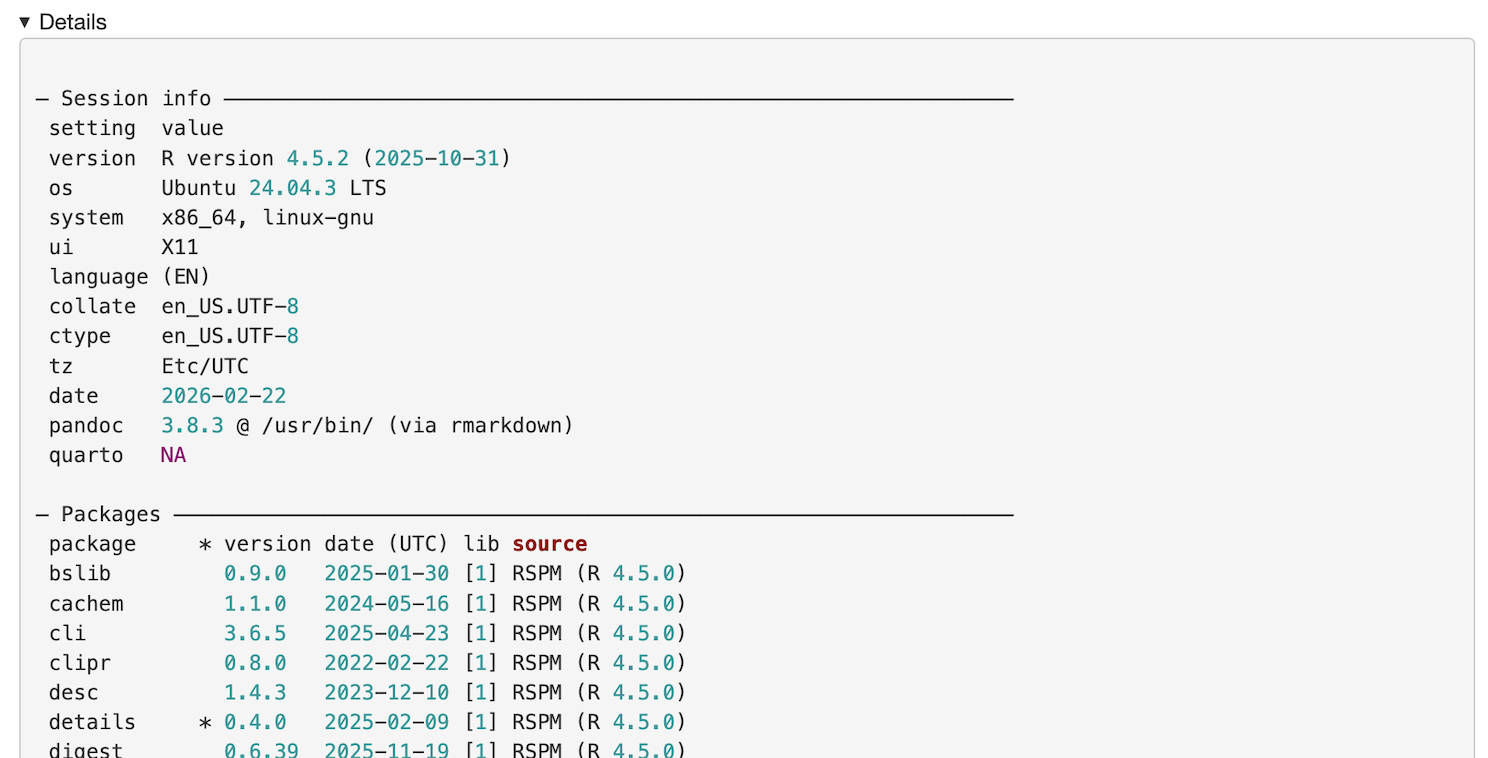
With the container running, open a web browser to debug.Rmd at http://localhost:3838/debug.Rmd which will display something like:
Docker can be run on a server too; the built image can be outout to a tar file based on steps at https://www.howtogeek.com/devops/how-to-share-docker-images-with-others/.
An advantage with using Docker is being able to preview exactly what will be deployed, to make sure it works. It will run the same on your machine as any other. I’ve had times where a library version on Shiny Server was different to the development machine which caused a blank page to be shown, not even an error message - thus the original reason for debug.Rmd.
Hopefully this post gives options when planning to deploy R Markdown files.